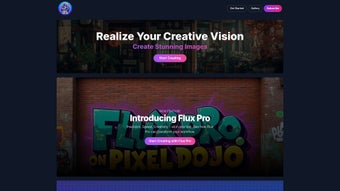

Download Pixel Dojo – AI Art Generator, Image Upscaler, Creative Tool
Introduction
In a world where visual content drives engagement, creators constantly search for tools that blend artistic freedom with cutting‑edge technology. Pixel Dojo arrives as a cloud‑first AI art platform that promises exactly that balance: a powerful suite of generative models, high‑resolution upscaling, and a workflow that feels natural even to those who have never touched a neural network before. Built on Stable Diffusion 3 and enriched with proprietary extensions, Pixel Dojo lets users upscale low‑resolution assets to pristine 8 K quality, generate photorealistic or stylized imagery from simple text prompts, and maintain character consistency across multiple scenes—a feature that is notoriously hard to achieve with generic AI generators.
What sets this service apart is its accessibility: there is no need for a dedicated GPU, no complex command‑line setup, and the entire engine runs on secure cloud servers that respect user privacy. Whether you are an indie game developer looking for rapid concept art, a freelance illustrator aiming to speed up client revisions, or a hobbyist eager to transform personal photos into gallery‑ready pieces, Pixel Dojo offers a sandbox that scales with your ambition. The platform also includes a generous free trial, allowing newcomers to explore the core toolset without immediate financial commitment.
This introduction outlines the roadmap for the review: a deep dive into the platform’s core capabilities, a step‑by‑step guide to getting started, an honest assessment of strengths and weaknesses, and answers to the most common questions asked by artists and creators.
What Is Pixel Dojo? Core Features and What They Mean for Creators
Pixel Dojo is an AI‑driven art platform that merges generative diffusion models with an intuitive web interface, delivering a suite of tools that cater to both rapid prototyping and detailed production work. The service operates entirely in the cloud, meaning users only need a modern browser to unlock capabilities that would otherwise require high‑end hardware. By integrating Stable Diffusion 3, the platform ensures state‑of‑the‑art image synthesis, while a collection of proprietary models adds niche functionalities such as consistent character generation and uncensored style fusion. The result is a flexible environment where artists can upscale, remix, and generate visuals without juggling multiple separate applications.
- 8 K Creative Upscaler: Elevate low‑resolution files to ultra‑high definition, preserving detail for print, large‑format displays, or high‑poly game textures.
- Stable Diffusion 3 Engine: Access the latest diffusion model for photorealistic and stylized output, with fine‑tuned prompt control.
- Consistent Character Builder: Define a character once and reuse it across scenes, maintaining anatomy, lighting, and artistic style.
- Style Fusion Sandbox: Blend two or more source images to create hybrid aesthetics, encouraging experimental and avant‑garde artwork.
- Batch Processing & Automation: Queue large numbers of images for upscaling or style transfer, saving time on repetitive tasks.
- Secure Cloud Rendering: All processing happens on encrypted servers, safeguarding intellectual property and complying with GDPR/CCPA.
- Community Gallery & Templates: Explore shared prompts, preset upscaling configurations, and style packs contributed by other creators.
- Cross‑Platform Web Access: Run seamlessly on Windows, macOS, Linux, Android, and iOS via any recent browser.
- API Integration: Trigger upscaling or generation from external tools like Photoshop, Blender, or custom pipelines.
- Free Trial & Tiered Pricing: Start with 50 generation credits and upgrade to subscription plans that scale with usage.
Beyond the headline capabilities, Pixel Dojo’s user interface emphasizes speed and clarity. The drag‑and‑drop canvas, real‑time thumbnail previews, and collapsible settings panels allow creators to iterate quickly. For power users, the platform supports custom model uploads, enabling the incorporation of proprietary AI pipelines into the same workflow. This blend of accessibility for beginners and depth for experts makes Pixel Dojo a compelling addition to any digital artist’s toolkit.
Getting Started: Compatibility, Installation, and First‑Run Workflow
Pixel Dojo is delivered as a Software‑as‑a‑Service (SaaS) solution, which eliminates the traditional installation hurdles associated with AI‑heavy applications. Users simply sign up on the official website, verify their email address, and gain immediate access to a cloud‑based dashboard. For those who prefer a desktop‑like experience, optional native wrappers are available for Windows 10/11 and macOS 12+, which launch a dedicated Chromium instance while still routing all AI computations to the cloud.
Compatibility: Because the heavy lifting occurs on remote servers, Pixel Dojo runs on any device capable of supporting a modern browser (Chrome 108+, Firefox 102+, Safari 15+, Edge 108+). Minimum hardware requirements are modest: 4 GB RAM, a stable internet connection of at least 5 Mbps, and no dedicated GPU. Mobile users on Android 9+ or iOS 13+ enjoy a fully functional, touch‑optimized interface that mirrors the desktop experience.
First‑Run Workflow:
- Account Creation: Visit pixeldojo.com, click “Sign Up,” select the free trial, and confirm your email. You’ll receive 50 generation credits instantly.
- Workspace Setup: After logging in, hit “New Project,” name your project, and choose a canvas size (default 1920 × 1080). Upload any reference images you wish to work with.
- Select a Module: The left toolbar presents three primary tools – Upscaler, Character Builder, and Style Fusion. Choose the one that aligns with your current goal.
- Configure Settings: Each module opens a settings pane. For upscaling, set the target resolution (2 K, 4 K, or 8 K) and toggle “Preserve Detail” or “Artistic Boost.” For generation, type a descriptive prompt, adjust the guidance scale (1‑20), and set inference steps (20‑100).
- Generate & Review: Click “Run.” Cloud servers render the output in seconds to minutes, depending on complexity. A thumbnail preview appears; you can accept, refine the prompt, or request a variation.
- Export or Save: Once satisfied, click “Download” to receive PNG, JPEG, or WebP files with optional lossless compression. Projects can also be saved to the cloud for later editing or collaborative sharing.
The platform also supports collaborative workspaces, allowing multiple team members to comment, share prompt libraries, and monitor credit usage in real time. This design philosophy keeps the focus on creativity rather than technical setup, making Pixel Dojo an ideal entry point for newcomers and a robust production environment for seasoned professionals.
Pros, Cons, and Frequently Asked Questions
Pros
- High‑resolution upscaling up to 8 K without noticeable quality loss.
- Stable Diffusion 3 integration delivers cutting‑edge image synthesis.
- Web‑based, cross‑platform access eliminates hardware constraints.
- Generous free trial encourages experimentation before purchase.
- Batch processing and automation streamline large‑scale workflows.
- Secure cloud rendering protects user data and intellectual property.
- Community gallery provides inspiration and ready‑made templates.
Cons
- Requires a stable internet connection; offline capabilities are limited.
- Subscription costs can add up for creators with high credit consumption.
- Advanced model customization assumes some familiarity with AI concepts.
- Export formats are limited to raster images; vector output is not supported.
FAQ – Answers for Artists and Creators
Can I use Pixel Dojo for commercial projects?
Yes. Once you have a paid subscription, the generated images are royalty‑free for commercial use, provided you comply with the platform’s terms of service.
Is there a limit to how many images I can upscale per month?
The free trial grants 50 credits, each credit typically covers one upscaling or generation request. Paid plans offer tiered credit bundles ranging from 200 to 5,000 credits per month.
Do I need a powerful GPU on my computer?
No. All AI processing occurs on Pixel Dojo’s secure cloud servers. Your local device only needs to run a modern web browser.
How does Pixel Dojo protect my uploaded artwork?
Uploads are encrypted in transit (TLS 1.3) and at rest. The platform also adheres to GDPR and CCPA standards, ensuring your data remains private.
Can I integrate Pixel Dojo with other design tools?
Pixel Dojo offers API endpoints that allow you to trigger upscaling or generation from tools like Photoshop, Blender, or custom pipelines via simple HTTP requests.
Final Verdict & Call to Action
Pixel Dojo distinguishes itself in the crowded AI‑art market by delivering a blend of high‑resolution upscaling, consistent character generation, and an uncensored style‑fusion sandbox—all through a secure, cloud‑first architecture that removes the need for expensive hardware. The platform’s intuitive interface, robust batch processing, and thriving community resources empower creators of any skill level to produce professional‑grade visuals quickly. While reliance on an internet connection and the tiered credit pricing model may pose challenges for power users with massive workloads, the generous free trial and flexible subscription options provide a low‑risk entry point. For freelancers seeking to expand their service offering, indie developers needing rapid concept art, or hobbyists eager to experiment with AI‑enhanced creativity, Pixel Dojo offers a compelling value proposition.
If you’re ready to push the boundaries of your visual projects, experience AI‑driven upscaling, and explore limitless style combinations, download Pixel Dojo today and start turning imagination into high‑resolution reality.
Pixel Dojo delivers a compelling blend of high‑resolution upscaling and creative AI generation that feels both powerful and approachable. The web‑centric design eliminates the need for expensive GPUs, while the extensive feature list—especially the 8 K upscale and character builder—makes it a strong contender in the crowded AI‑art market.



.png)



